
How Can I Access My Jango Radio Profile Page?
Once your Radio Airplay artist account is complete and includes at least one song in “Live” status, you will automatically receive a public Jango Radio artist profile page. From this page, your songs can receive unlimited plays, and visitors can become fans, leave comments, and more.
You can access your Jango Radio profile at any time from your Radio Airplay dashboard by clicking “Jango Artist Page” under your artist name in the top-left corner of the page.
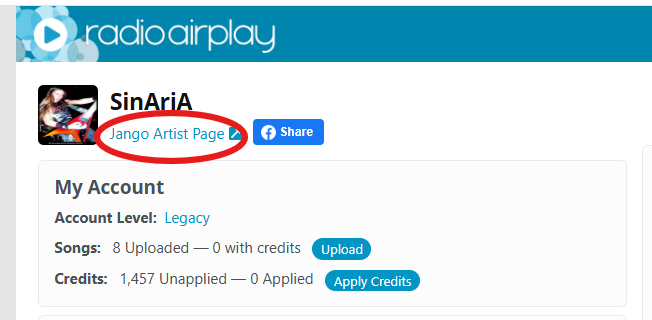
You can also access your profile page from anywhere on the http://www.jango.com website or app, using the “Search” field at the top.
Once you’re viewing your full Jango Radio profile page, you can “Select” and “Copy” the full Jango.com website URL in your internet browser, so you can then post it on your other websites, in emails, or anywhere else you’d like to share it and get more visits to your Jango profile page.
From your ARTIST CONTENT > SONGS page, you’ll also see a special, shareable URL for each of your songs in “Live” status, where it says “Copy and Share”.
If you click on, Copy, and Share one of those URLs, it will direct anyone who clicks on it to your Jango Radio profile page - where that particular song will begin playing.
Sharing your Jango Radio profile page is recommended and beneficial for any artist, since the profile page can not only act as your free online library which you can use in your larger online promotional efforts, but can also help as an extra method of gaining new fans and other positive stats - all of which can help boost your weekly PopScore.