
How Do I Use Artist Target Bundles?
Bundles are groups of selected target artists that you can save and link to one or more songs within your Song-Level Targeting setup.
You can create multiple Bundles, edit them at any time, and quickly apply them to other songs from the Manage Your Artist Target Bundles page, accessible through your Campaign Settings menu.
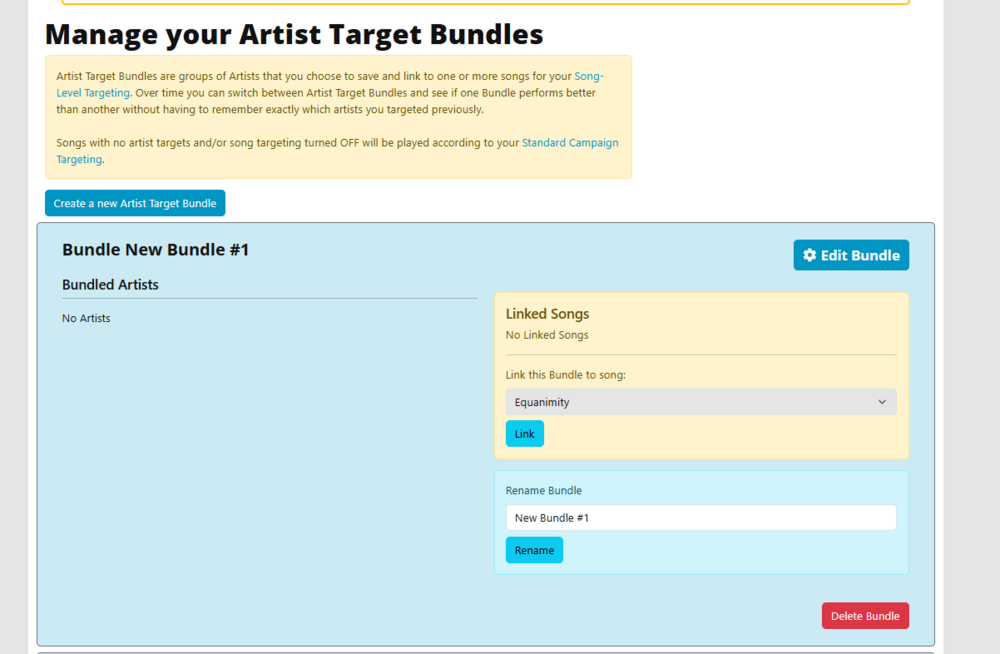
Bundles can be created in two ways. You can build one from scratch in the Manage Bundles section by selecting Create New Artist Target Bundle.
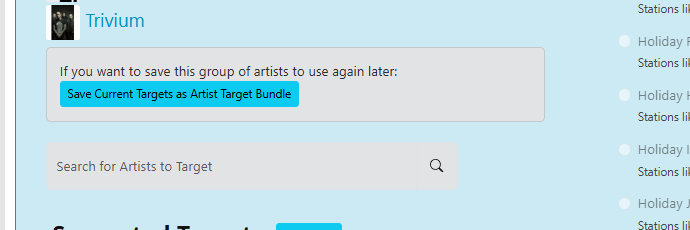
Alternatively, you can save an existing set of artists from a song by clicking Save Current Targets as Artist Target Bundle, located in the bottom right corner of the Song-Level edit window.
Either of those two options will take you to the Create New Bundle Edit Window.
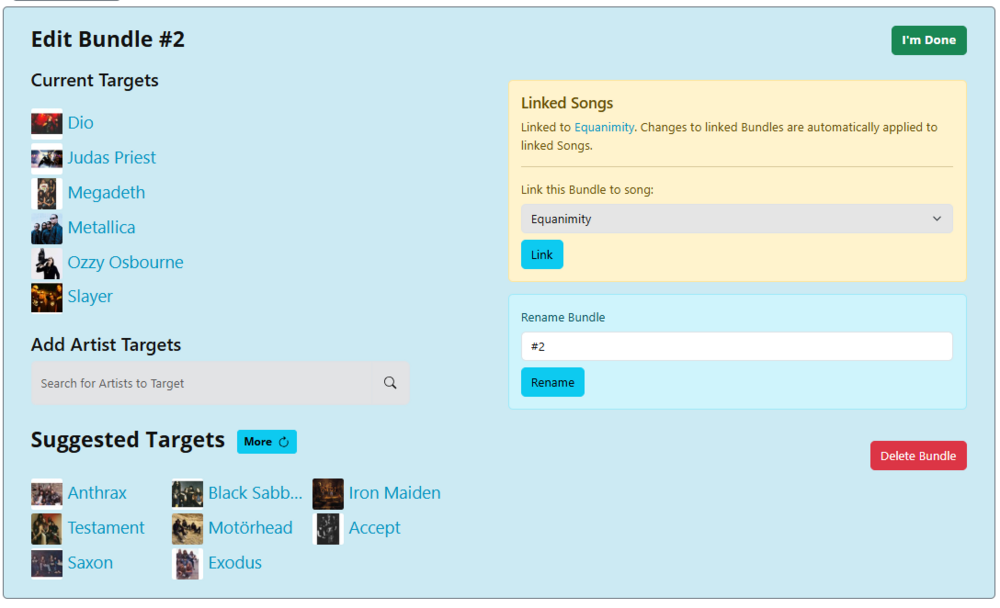
f you’re creating a new Bundle, you can begin by adding the artists you want to include. If you saved the Bundle from the Song-Level edit window, your selected artists will already be included. Each Bundle can contain up to 30 artists.
Once finished, click I’m Done to return to the View All Bundles screen. From there, you can click the blue Edit button to return to its individual editing page.
You also have the option to link the Bundle to songs, rename it, or delete it as needed.
To link a Bundle, use the dropdown menu to select the song you want to associate with it.
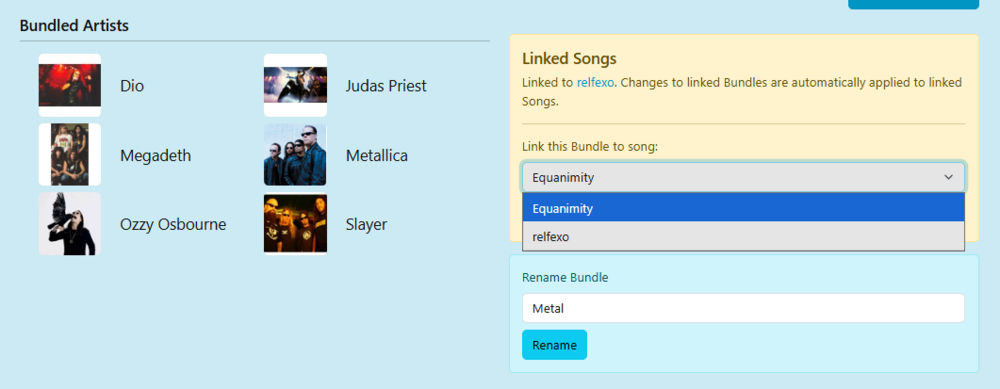
Linking your Bundle to one or more songs creates a dynamic connection between them. Any updates made to the Bundle—such as adding or removing artists—will automatically apply to all songs it is linked to. There is no need to re-link the Bundle after making changes. For example, if a Bundle is linked to four songs and you remove two artists from it, those artists will automatically be removed from the targeting of all four songs without requiring individual edits.
Deleting a Bundle will only remove it from your Bundle list and will also unlink it from any songs it was associated with. However, it will not remove the previously assigned target artists from those songs. Those artists will remain in place until you either link a new Bundle or manually update the song’s targeting.
Bundles are a powerful way to test and compare different artist targeting strategies without needing to keep track of individual selections. You might use one Bundle for a week, switch to another the next, and compare performance results. For example, one Bundle could focus on highly popular artists to drive faster play rates, while another might include less mainstream artists to adjust pacing. Some Bundles may perform better for specific songs, while others could work broadly across your catalog.
Feel free to experiment, mix, and refine your approach to discover what works best for your promotional strategy. More tips and enhancements will be added as these features continue to evolve.